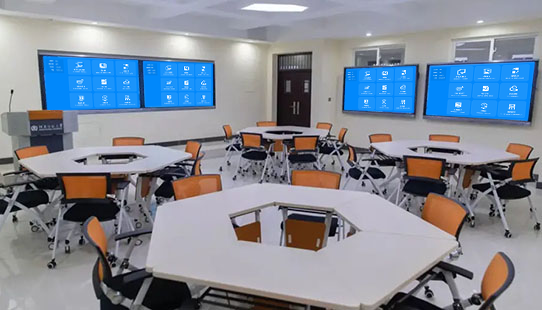
Interactive Classrooms: More Dynamic Teacher-Student Interaction
Want to free your classroom from the limitations of “the teacher lecturing and students passively listening”? This screen mirroring device makes it easy to set up an interactive environment! It’s compatible with a teacher’s device, student devices, and the classroom’s large screen. It supports quick result mirroring, real-time annotations, and two-way feedback, which turns a one-way lesson into a two-way collaborative experience, activating the energy of interactive teaching.
2 Steps to Activate Interaction: A Quick Start for Teachers and Students
It’s simple to use and quickly gets the class connected:
- Quickly Connect and Network: Plug the receiver into the main classroom screen (smart board/projector). Plug the transmitter into the teacher’s computer. Students can use their phones or tablets to connect to the campus Wi-Fi and scan a QR code to join the interactive group. The connection will be complete in 10 seconds.
- One-Tap to Start Interaction: The teacher can tap the “Interactive Mode” on the mirroring device to automatically assign “primary permissions” and “participation permissions.” After they select a lesson plan to mirror, the student devices will instantly receive it. The whole process takes less than 1 minute.
Core Advantages: More In-Depth Classroom Interaction
Quick Result Mirroring, Boosting Engagement
- After a student finishes a question or draws a mind map on their tablet, they can tap “Mirror to Main Screen,” and their work will be displayed in 1 second. The teacher can directly annotate and edit it on the large screen, which is 10 times faster than collecting homework.
- A group’s discussion results can be mirrored to a secondary screen for peer feedback. Excellent work can be pushed to the main screen with a single tap. Combined with the teacher’s supplemental explanation, all students will participate more deeply, and classroom interaction will be boosted by 60%.
Two-Way Interaction for More Flexible Teaching
- After a teacher mirrors a lesson plan from their computer, they can use their phone to walk off the stage and remotely flip pages or pause. When a student has a question, they can annotate “I don’t understand this” on their tablet and push it to the teacher’s device in real time, so the teacher can provide a more precise explanation.
- A teacher can push a video of an experiment to the large screen. It supports slow motion and freezing frames. The teacher can use a stylus to annotate key steps, and the annotations will be synchronized to all student devices, making abstract knowledge concrete.
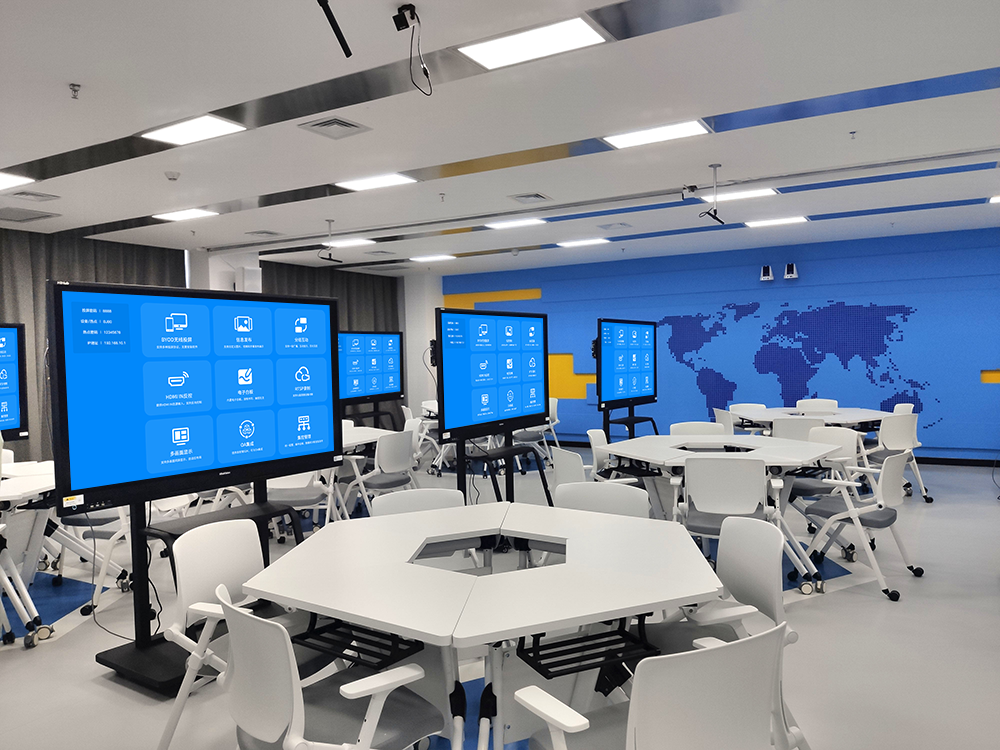
For All Scenarios: Implementing Interactive Teaching
Daily Teaching: More Engaging Knowledge Delivery
- In a Chinese class, a student can use their phone to take a photo of their own drawing of a text and mirror it to the screen for comparison. The teacher can use the large screen to annotate and analyze the creative ideas. In a math class, a teacher can push a geometric shape to the large screen, and a student can use their tablet to drag the shape to demonstrate a theorem.
- In an English class, a teacher can push a listening exercise. Students can scan a QR code to answer, and the results will be mirrored in real time as a data chart. The teacher can then focus on the most commonly missed questions.
Practical Training: More Precise Guidance
- In an art class, a student can mirror their drawing. The teacher can push a reference case study at the same time and annotate with suggestions for color and composition.
- In a computer class, a student can mirror their code. The teacher can remotely circle the errors and show them how to fix it in real time, making the hands-on teaching more efficient.
Secure and Practical: Peace of Mind for Campus Use
- It works with the campus system, so only the teacher and students in the class can connect. It supports password control to prevent irrelevant content from interfering.
- The dual-band transmission has strong anti-interference capabilities. When multiple devices are interacting at the same time, latency is less than 15ms, and a public class won’t be interrupted. The mirroring device is only the size of a palm, so a teacher can easily carry it for an outdoor study session.
By using this BiJie screen mirroring device to create an interactive classroom, teacher-student interaction will be smoother, knowledge delivery will be more engaging, and the vitality of classroom teaching will truly be activated.