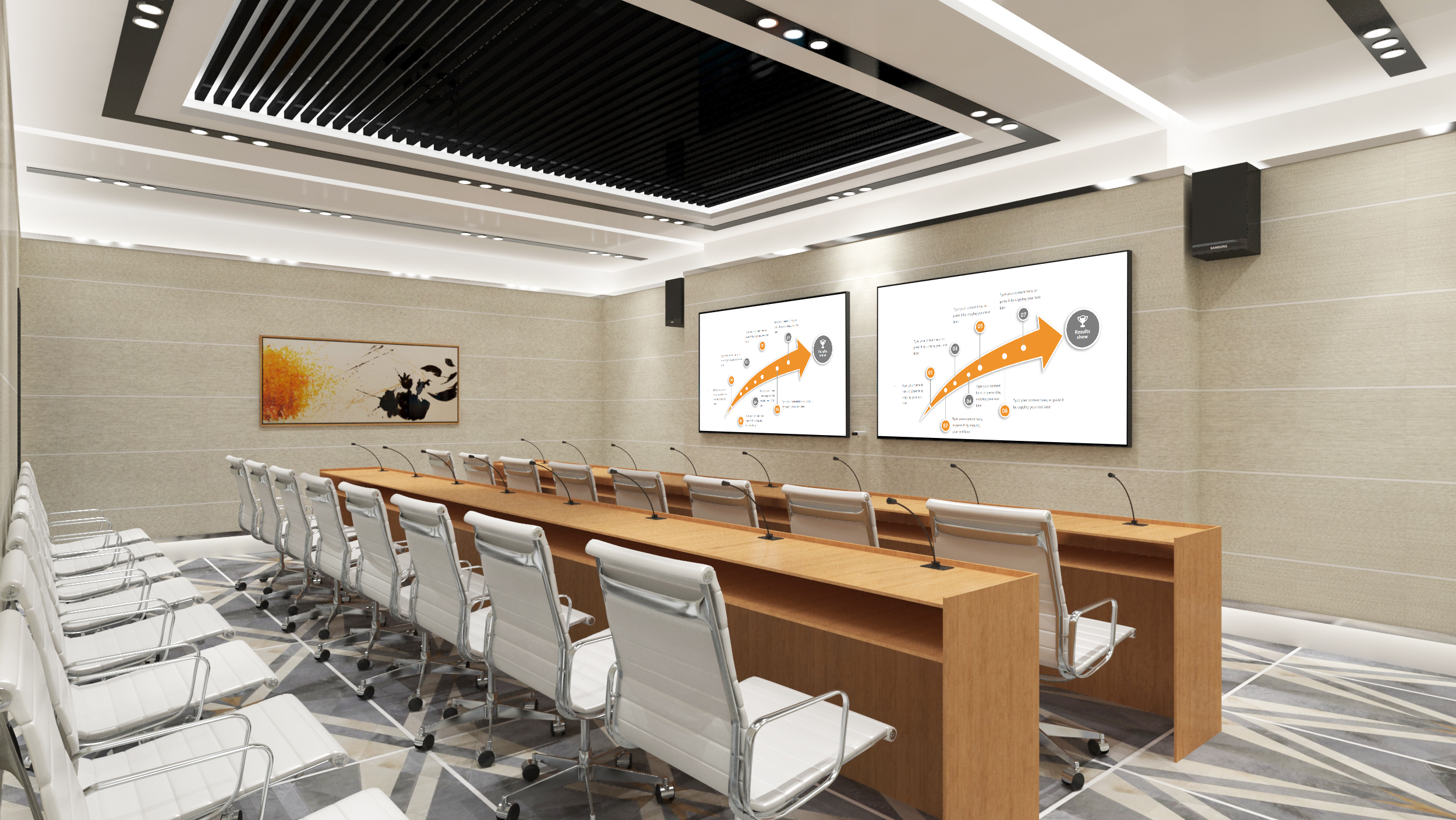
Wireless Presentation for Conference Rooms: Enterprise Deployment Guide
Introduction
Conference room technology has evolved significantly in recent years, with wireless presentation systems emerging as essential infrastructure for modern businesses. This comprehensive guide covers everything organizations need to know about implementing wireless presentation for conference rooms, from initial planning through ongoing optimization.
Why Wireless Presentation for Conference Rooms?
The Business Case
Traditional conference room setups require cables, adapters, and dedicated connection equipment. These physical connections create multiple challenges:
– Presenter delays while locating and connecting cables
– Compatibility issues between devices and room systems
– Cluttered meeting spaces with visible cables
– Frequent IT support requests for connectivity problems
Wireless presentation eliminates these pain points while offering additional benefits that improve overall meeting effectiveness.
Productivity Impact
Organizations implementing wireless presentation in conference rooms consistently report measurable productivity improvements:
– Meeting setup time reduced by 70-80%
– IT support tickets related to connectivity decreased significantly
– Employee satisfaction with meeting room technology improved
– Meeting start times became more predictable
Types of Conference Rooms
Huddle Spaces
Small meeting areas accommodating 2-4 people require compact, simple solutions. Wireless presentation in huddle spaces should prioritize:
– Quick connection (under 15 seconds)
– Support for 1-2 simultaneous presenters
– Compact hardware that doesn’t dominate small spaces
– Affordable pricing for volume deployment
Standard Meeting Rooms
Rooms designed for 6-12 people represent the most common conference room category. These spaces benefit from:
– Support for 2-4 simultaneous presenters
– Reliable performance for various content types
– Integration with room audio and video systems
– Centralized management capabilities
Executive Boardrooms
High-profile meeting spaces require premium features:
– 4K resolution support for detailed presentations
– Enhanced security features for confidential content
– Seamless integration with advanced AV systems
– Premium hardware aesthetics
Training and Conference Facilities
Large spaces require robust solutions:
– Extended wireless range and coverage
– Support for multiple displays
– Capacity for many simultaneous connections
– Professional-grade reliability
Essential Features for Enterprise Conference Rooms
Connectivity Options
| Protocol | Use Case |
|———-|———-|
| AirPlay | Apple device users |
| Miracast | Windows and Android devices |
| Chromecast | Google ecosystem users |
| Browser-based | Universal compatibility |
Display Quality
Modern conference rooms require high-resolution display support:
– 1080p minimum for standard presentations
– 4K for detailed content, design reviews, and video
– HDR support for enhanced visual quality
Audio Integration
Conference room wireless presentation should integrate with room audio:
– Seamless audio routing through room speakers
– Support for video conference audio
– Volume control through room systems
Management and Control
Enterprise deployment requires comprehensive management:
– Centralized configuration and monitoring
– Remote troubleshooting capabilities
– Usage analytics and reporting
– Firmware and software updates
Network Requirements
Bandwidth
Conference room wireless presentation requires adequate network bandwidth:
– Minimum 100 Mbps per room for standard presentations
– 4K content requires higher bandwidth allocations
– Consider concurrent usage when calculating requirements
Network Architecture
**VLAN Segmentation**: Isolate presentation traffic from general network traffic.
**Access Points**: Ensure adequate WiFi coverage in meeting areas.
**Quality of Service**: Configure QoS to prioritize presentation traffic.
Firewall Considerations
Organizations should configure firewall rules to:
– Allow necessary protocols for device discovery
– Enable content transmission between devices and receivers
– Maintain security for sensitive business data
Deployment Best Practices
Planning Phase
**Room Assessment**: Evaluate each conference room for:
– Typical meeting size and frequency
– Existing display and AV equipment
– Network infrastructure quality
– User population and device mix
**Requirements Definition**: Establish clear requirements for:
– Minimum feature set
– Security and compliance needs
– Management capabilities
– Budget constraints
Implementation Phase
**Hardware Installation**: Install receivers in appropriate locations:
– Concealed installation for clean aesthetics
– Accessible locations for maintenance
– Proper ventilation and power access
**Network Configuration**: Prepare infrastructure:
– Create dedicated VLANs for presentation traffic
– Configure Quality of Service rules
– Test bandwidth and latency
**User Onboarding**: Ensure adoption through:
– Clear connection instructions in each room
– Quick reference guides for common scenarios
– Training sessions for common user groups
Optimization Phase
**Performance Tuning**: Adjust settings based on usage:
– Optimize compression settings for content types
– Fine-tune network configurations
– Balance concurrent user limits
**User Support**: Establish support channels:
– Self-service resources for common questions
– IT support escalation for complex issues
– Feedback mechanisms for improvement ideas
Security Considerations
Data Protection
Conference room presentations may contain sensitive information:
– Encryption for all wireless transmissions
– Session timeout controls
– Content protection for confidential material
Access Management
Control who can use conference room systems:
– Network-based authentication integration
– Guest access protocols
– Session logging and auditing
Physical Security
Protect hardware installations:
– Secure mounting for receivers
– Restricted access to equipment closets
– Tamper detection where appropriate
Measuring Success
Key Performance Indicators
**Technical Metrics**:
– Connection success rate
– Average connection time
– Network latency and throughput
– System uptime and reliability
**Business Metrics**:
– Meeting room utilization rates
– User adoption percentage
– Support ticket volume
– User satisfaction scores
Continuous Improvement
– Review metrics monthly
– Gather user feedback regularly
– Plan technology upgrades proactively
– Document best practices and lessons learned
Troubleshooting Common Issues
Connectivity Problems
**Symptom**: Devices cannot discover conference room receivers.
**Solutions**:
– Verify network connectivity
– Check receiver power and status
– Confirm firewall configuration
– Restart network equipment if needed
Performance Issues
**Symptom**: Video stuttering or poor quality during presentations.
**Solutions**:
– Check available bandwidth
– Reduce concurrent users
– Optimize QoS settings
– Verify receiver hardware performance
Audio Problems
**Symptom**: No audio or poor audio quality during presentations.
**Solutions**:
– Verify volume settings on source device
– Check room audio system configuration
– Confirm correct audio output selection
– Test with different content sources
Conclusion
Wireless presentation for conference rooms represents a significant upgrade to business collaboration infrastructure. Organizations implementing these systems properly see substantial returns through improved meeting productivity, reduced support burden, and enhanced user satisfaction.
Success requires careful planning, appropriate technology selection, and ongoing attention to user experience. BJCast wireless presentation systems provide enterprise-grade features suitable for organizations of all sizes seeking to modernize their conference rooms.
**Explore solutions**: BJCast wireless presentation systems
**Get started**: Contact for free consultation
Learn more: Wireless Presentation for Conference Rooms | Complete Guide at BJCast.
